
Why the Creality K2 Pro Combo 3D Printer Is the Go To for Big Creative Builds
 Admin
Admin
A deep dive into the Creality K2 Pro Combo shows how it balances speed, size, and smart tools in one smartly designed machine.
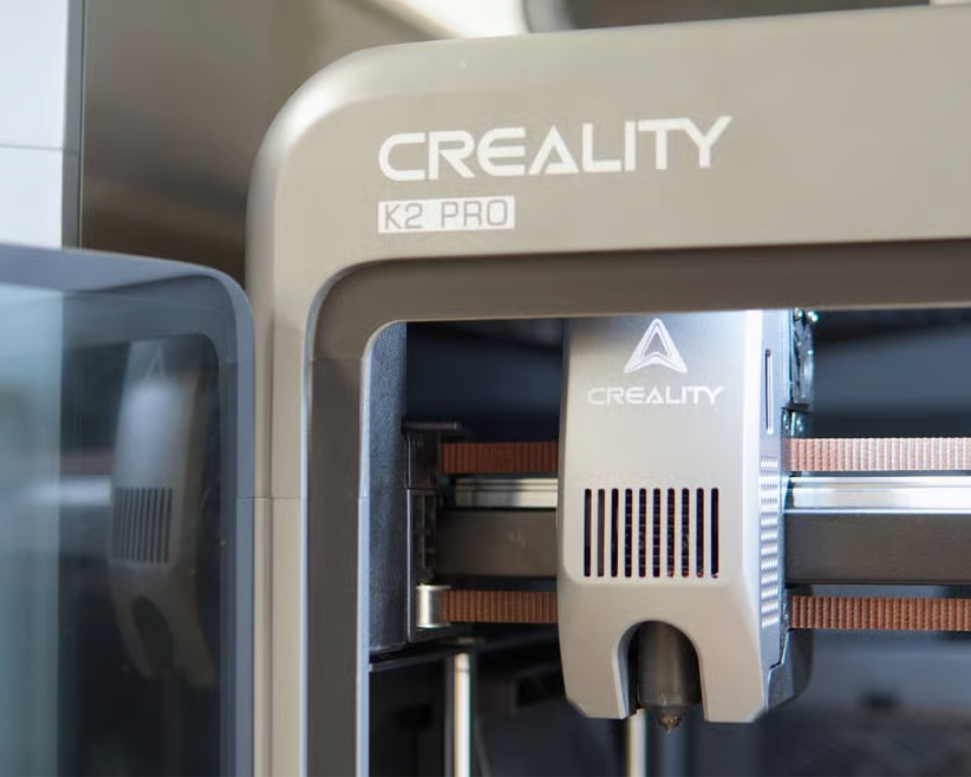
In the world of design and rapid prototyping, tools evolve fast and expectations shift even faster. A 3d printer isn’t just a hobby tool anymore. For many creators, it’s a production companion, one that handles technical prints, color transitions, and multi-material work all without turning a home into a noisy workspace.
The Creality K2 Pro Combo is showing up more in those conversations where performance and creative range matter. With a sizable print area, support for a wide set of materials, and multicolor capacity through its built-in system, this creality 3d printer sets its own lane. But the real interest builds once you dig past the noise and look at what it actually does, how it’s built, and who it really suits.
Let’s take a closer look at the K2 Pro Combo, what the printer delivers and what users can expect when putting it to work.
What Stands Behind the Design
This machine weighs over 23 kilograms, and there’s a reason for that. Its rigid exoskeleton is built from aerospace-grade aluminum alloy, giving the frame a solid feel from the moment it's unboxed. This structure doesn’t just look serious, it supports better precision under high-speed movement. The K2 Pro uses step-servo motors on both the X and Y axes along with the extruder, giving it a motion system tuned for speed and flow stability.
The build volume measures 300 x 300 x 300 mm, large enough to print functional wearables, helmet shells, architectural parts, or multiple components in one run. That size is supported by a fully enclosed chamber with active heating, maintaining temperatures up to 60°C to help stabilize advanced materials like ABS and carbon-filled filaments.
Even at higher speeds, the machine stays surprisingly quiet. That’s due to balanced cooling fans and the motor system that cuts down the usual buzz and rattle that tends to come with higher-end machines. It’s a difference that matters in any shared space or home workshop.
Why Print Quality Gets the Spotlight
Resolution and surface detail often get reduced to numbers, but the K2 Pro Combo shows how much difference build balance makes. Its layer height ranges from 0.05 to 0.3 mm, supported by a dual-gear direct drive extruder that manages flow with better grip on even stiffer filaments.
AI-powered sensors go a step further by tracking flow rate and potential failure points mid-print. These adjustments happen in real-time, helping avoid common print flaws without manual calibration. Combined with full auto-leveling that targets only the print zone, this makes the setup process much faster.
Multicolor capacity adds more to the creative side. The included CFS unit supports four filament inputs, and with extensions, up to 16 separate colors can be loaded. It auto-identifies materials using RFID and manages feed with an internal buffer and filament relay. These features open a lot of room for complex color transitions, gradient-style parts, or print jobs where color coding adds meaning, all directly managed through creality software.
Professional Features for Advanced Use
The K2 Pro Combo pushes into the category of professional 3d printers with a list of features that extend beyond casual use. The active chamber heater makes it possible to run high-temp filaments like PPA-CF and PAHT-CF, which need a stable environment to prevent layer separation and warping.
There’s also a magnetic auto cutter and a built-in sensor path that detects filament run-out. If a spool empties mid-job, the relay system can auto-switch to another line, reducing print interruptions and material waste.
These extras aren’t just technical add-ons. They show up where longer, detail-heavy prints happen, tasks that can’t afford inconsistencies or manual resets halfway through a job. For users working on prototypes, client models, or parts that will be used in product testing, that level of control matters.
Ease of Use Without Training Manuals
The setup process often makes or breaks a user’s first experience with any 3d printer. Here, the K2 Pro Combo streamlines that phase. The printer arrives preassembled, aside from the touchscreen. A boot-up guide on screen walks through fan calibration, leveling, and essential system checks.
No outside tools or software are needed out of the box. The Creality Print 6.0 platform, designed to work with this series, handles slicing, CFS management, and monitoring. It includes cloud sync for access to exclusive models and offers cloud storage for active projects. This makes the Creality software more than just a slicer, it doubles as a workspace.
Power recovery, tangle detection, and an air filtration system further reduce the risk of failed jobs, print reruns, or dust-related defects. The printer also supports Ethernet, WiFi, and USB transfers, along with 32GB of internal storage.
So whether the file comes from the cloud, a flash drive, or a remote device, the workflow stays clean. This kind of integration is something most users don’t realize they need until they see how much time it saves.
What to Consider Before You Decide
The $999 price tag positions this creality 3d printer in the upper-middle tier. For those looking at a 3d printer on sale, this may not feel like a budget buy but the price reflects the features packed into one platform.
However, there are a few points worth knowing. The footprint is large and needs stable bench space. The CFS unit adds to the width, especially with extensions. Material choice also becomes more relevant here. To get the most out of the chamber heating, filament switching, and AI monitoring, users will need to explore filament types beyond basic PLA.
Not all spools work with the CFS either. Cardboard reels and flexible materials like TPU aren’t compatible with the filament system and may require manual feeding or external handling.
Lastly, while the auto-leveling and software ease the learning curve, some users still report a need for minor adjustments early on. So patience and willingness to fine-tune settings, especially when printing with niche filaments will shape the experience.
The Creality K2 Pro Combo brings serious hardware, smart features, and flexibility into one box. It's not here to impress with gimmicks. It's built to deliver results that meet real creative and functional needs.
For those exploring options in professional 3d printers or looking for a high-value 3d printer on sale that doesn’t skimp on performance, this one deserves a look. Keep an eye on current deals, and don’t forget to check if a Creality coupon code is live when browsing options online.
Follow StyleAndStrong for the latest reviews, updates, and value-driven finds.